


To enable content monetization, members must first upgrade to a paid Pro account and verify their account.
Once verification is complete:
On mobile:
-
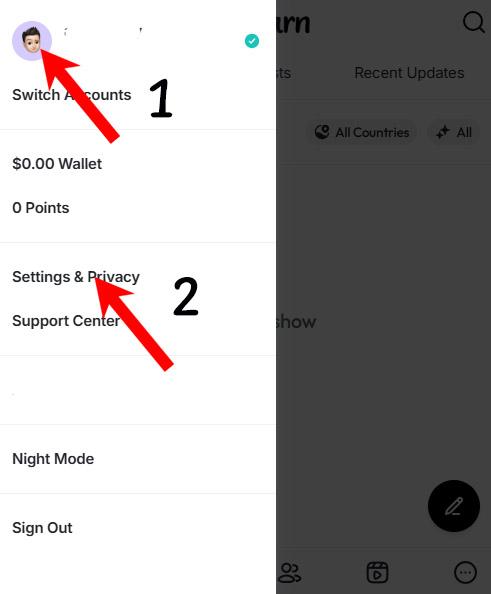
Tap your profile picture, then go to Settings & Privacy
-
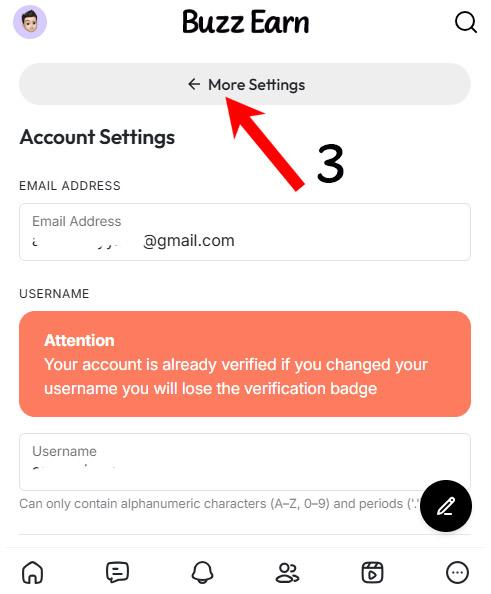
Select More Settings
-
Open Monetization Settings
From there:
-
Create a subscription plan and save your changes
-
To monetize messages, enter your price per message
-
Click Enable Monetization, then Save Changes
To enable page or group monetization, go to the respective page or group settings and enable monetization from there.